Tour Providers Permissions Bookkeeping Modules Story Open XY Task
Operations platform for teams · by BBR Tek

Tickets. Tasks. HR.
Shifts. Billing.
One platform.

Support, projects, shifts, people and the books in one login. Your providers work inside it, your clients see only what’s theirs, and every company keeps its own space.

Open XY Task

Access is by approval. Request it on WhatsApp: +507 6101-1777

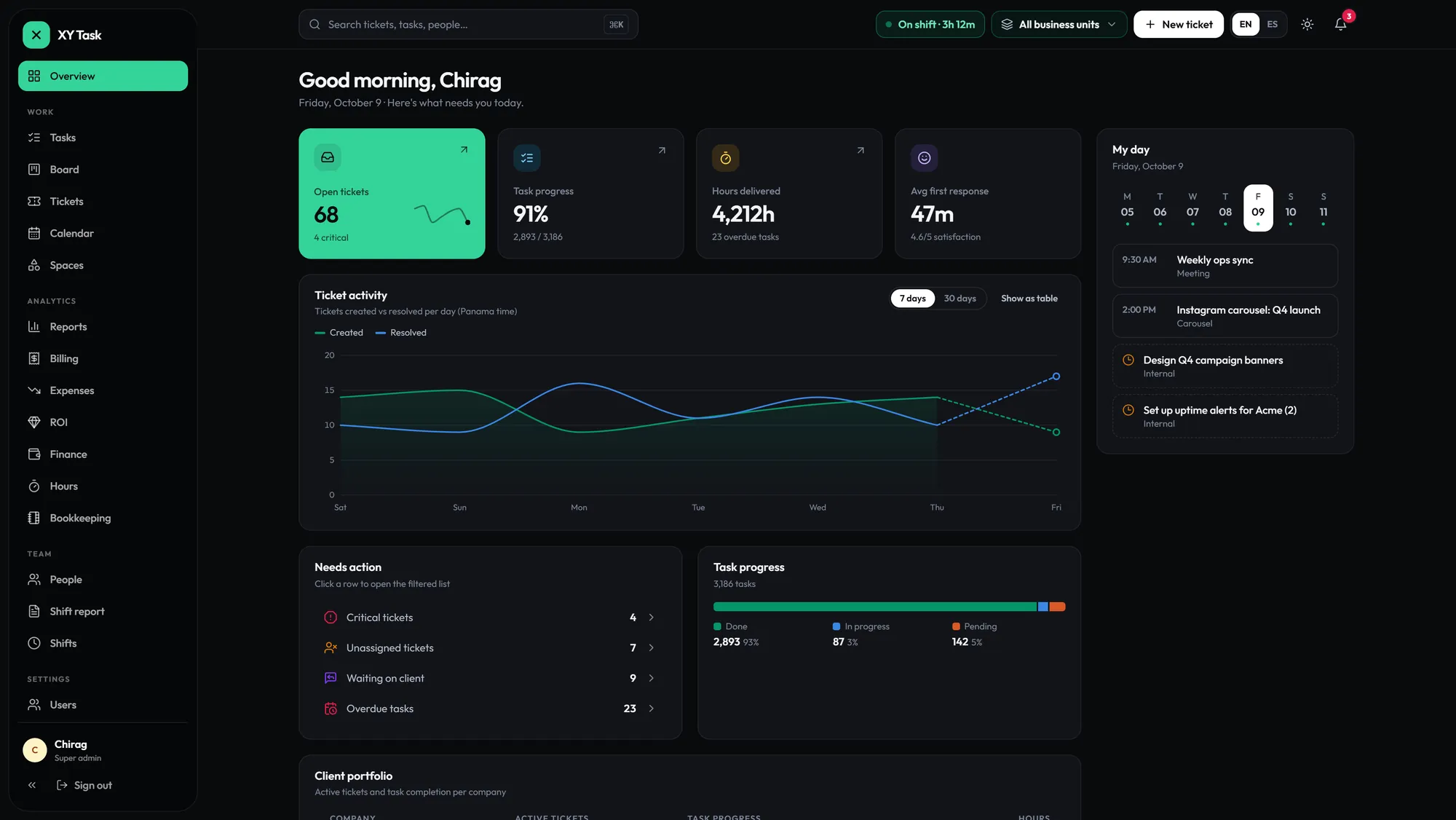
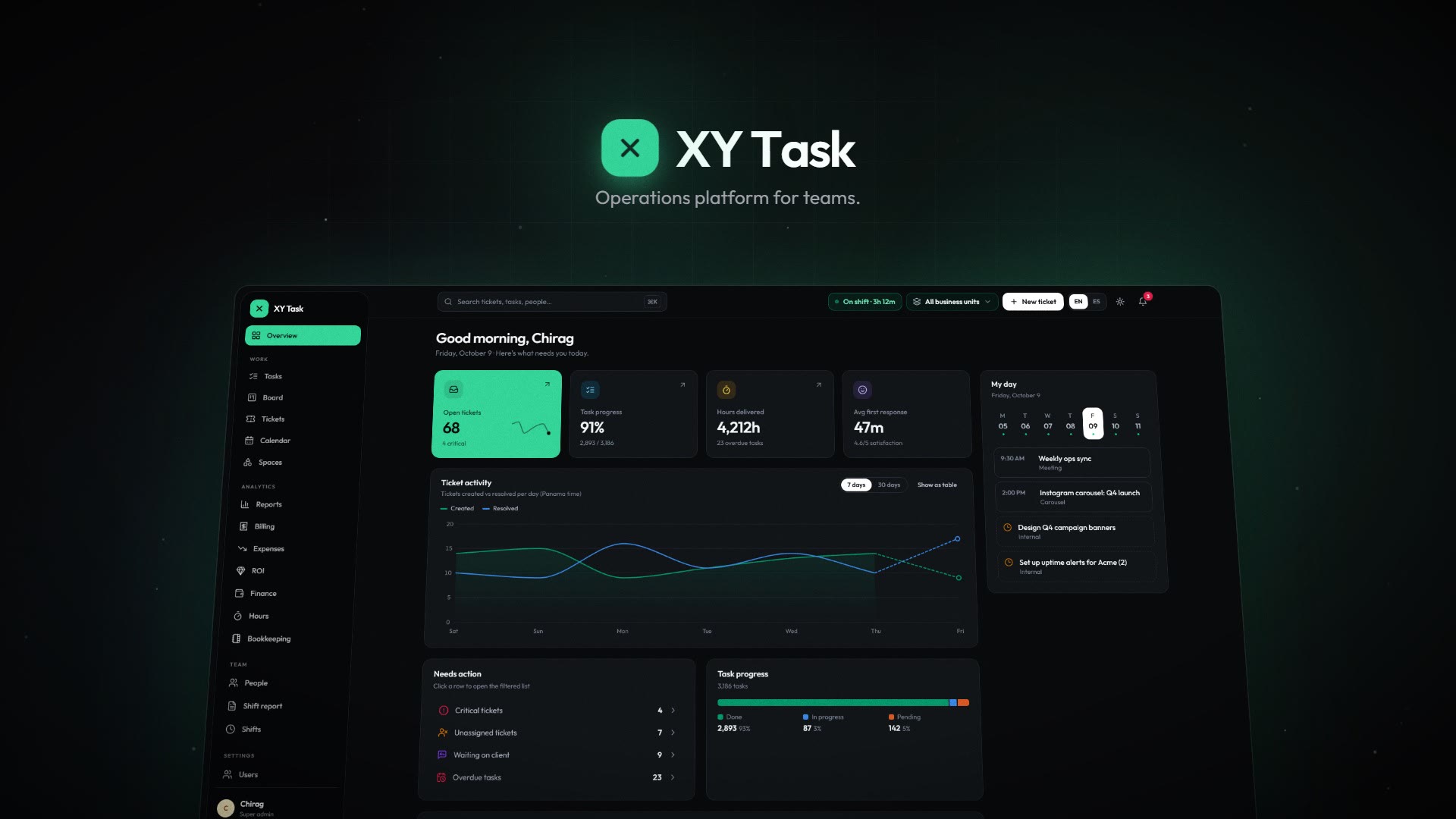
XY Task dashboard: open tickets, task progress, hours delivered and ticket activity
14
integrated systems,
one login

Your clients
stay yours

Providers work your tickets without ever seeing your client’s contact.

14integrated systems
6roles, denied by default
EN · ESevery screen, both languages
1login for all of it
// tickets

Full lifecycle. Not just a form.

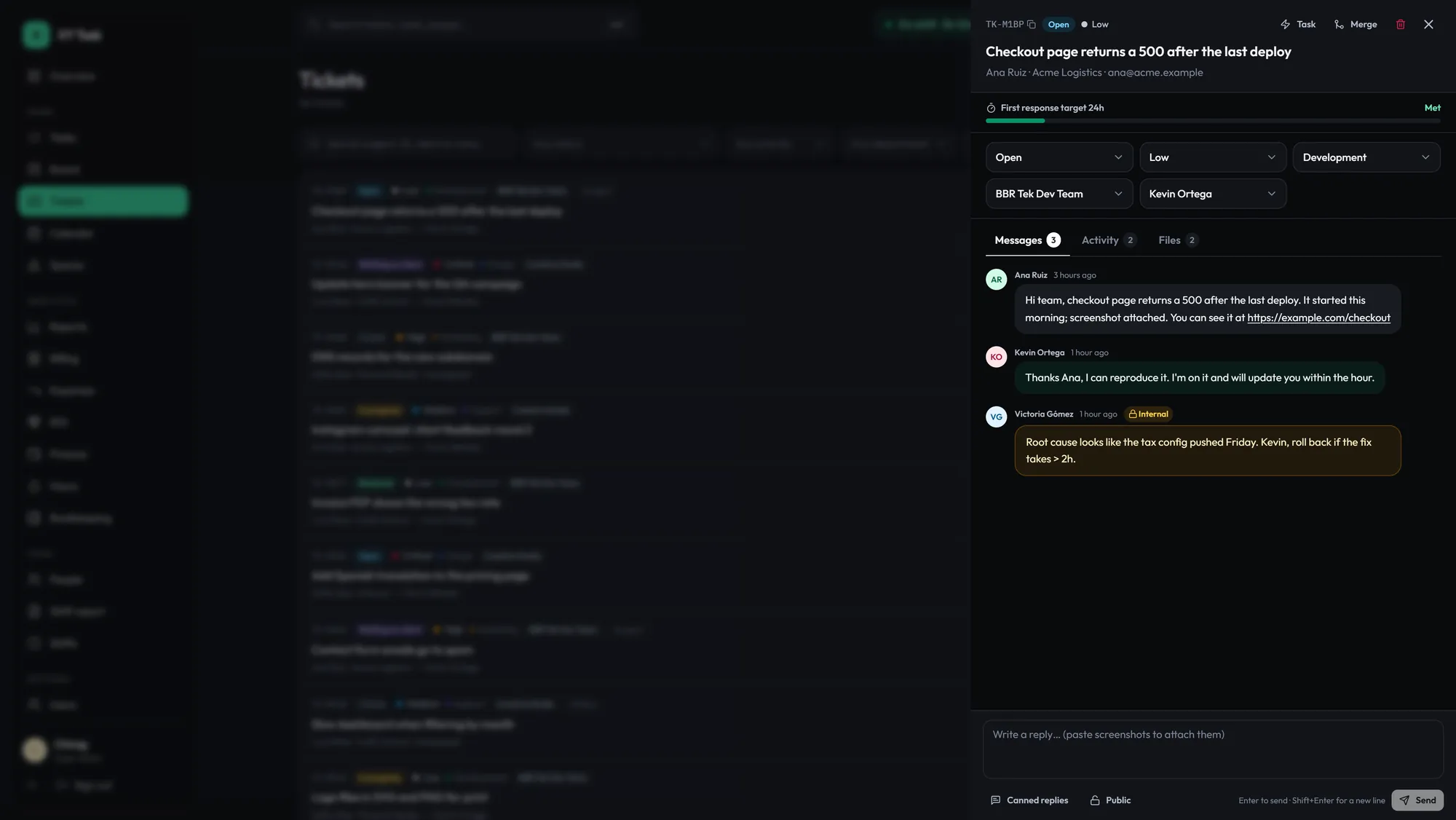
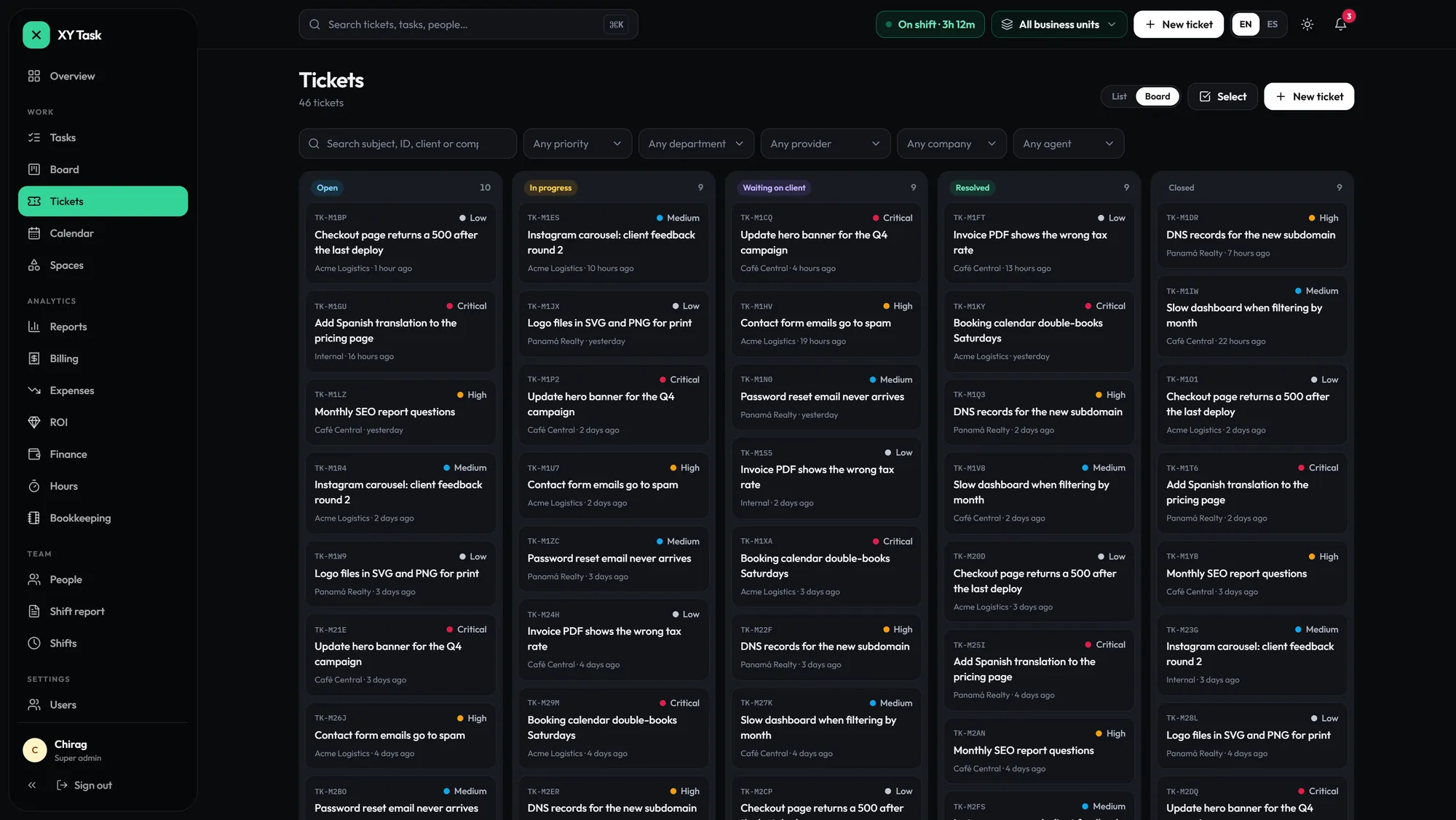
Every request moves from open to closed on one board, with the SLA clock running and your team’s notes kept out of the client’s view.

  • Open, in progress, waiting, resolved, closed
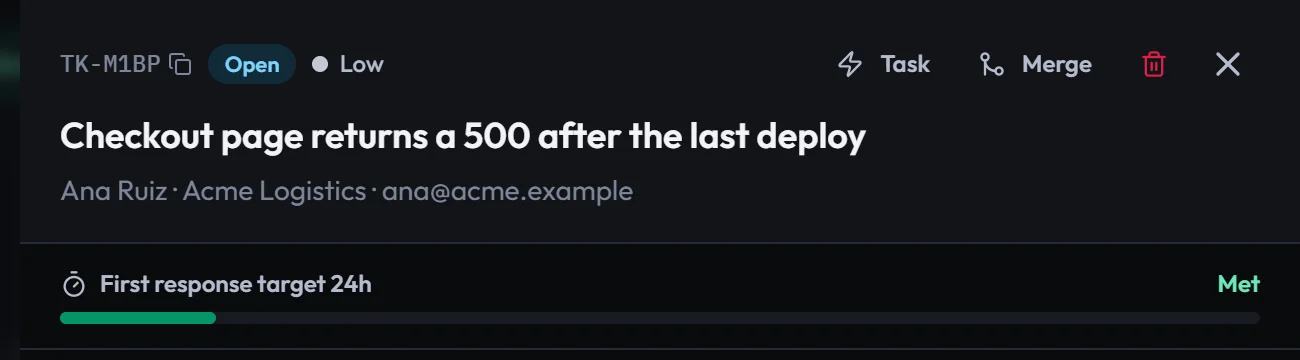
  • First-response SLA on every ticket
  • Internal notes clients never see
  • Files with inline video, merges and canned replies
Tickets board: open, in progress, waiting on client, resolved and closed
The board: open to closed
A ticket with its first-response SLA met and an internal note
SLA met, internal note kept internal
// providers

One hub. All your providers.

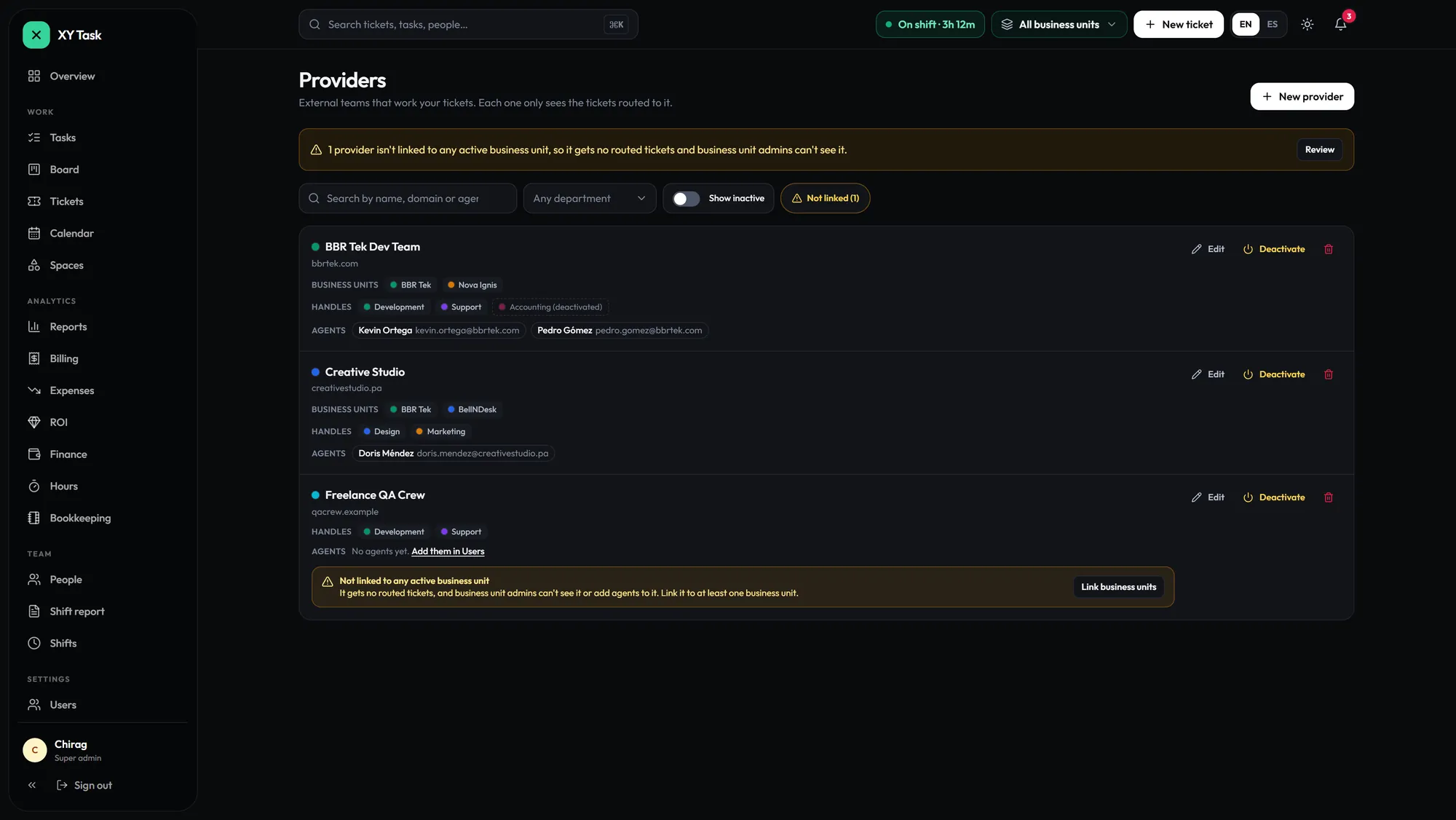
External teams work the tickets you route to them, inside your hub. They never get your client’s email, and every conversation stays in XY Task. The client relationship stays with you.

  • Each provider sees only the tickets routed to it
  • Your client’s email never reaches provider agents
  • Departments decide which provider gets each ticket
  • No separate accounts with every vendor

No direct contact. Your clients stay yours.

The ticket header a provider works from: the client’s email is hidden hidden

What a provider agent gets: the ticket, not your client’s contact.

Providers: external teams, the departments they handle and their agents

Providers: the departments each one handles and its agents.

// tasks

Three views. One dataset.

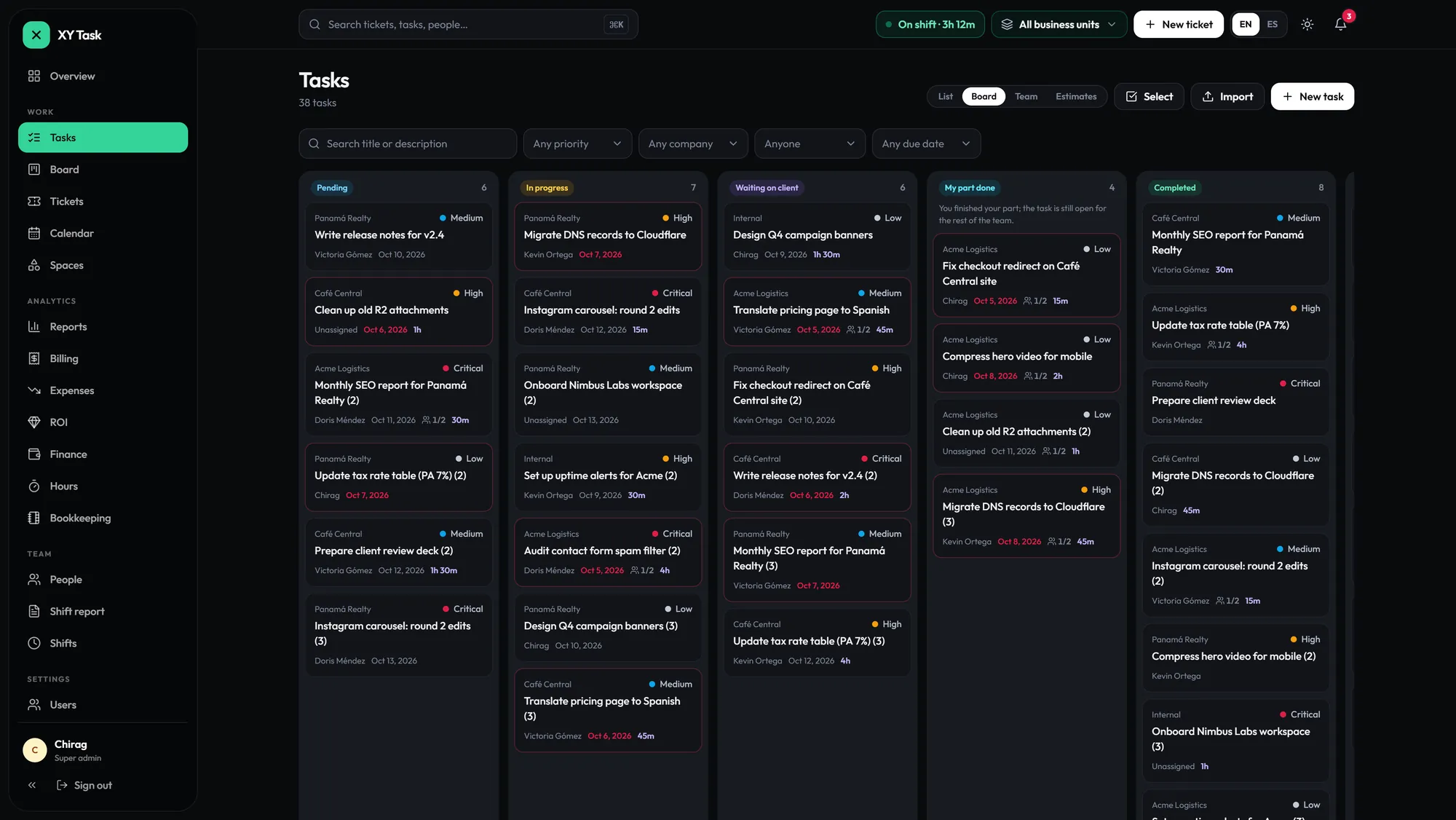
List, board and team views over the same tasks, with time tracking, estimates and the ticket each task came from.

Paste a list. Done.

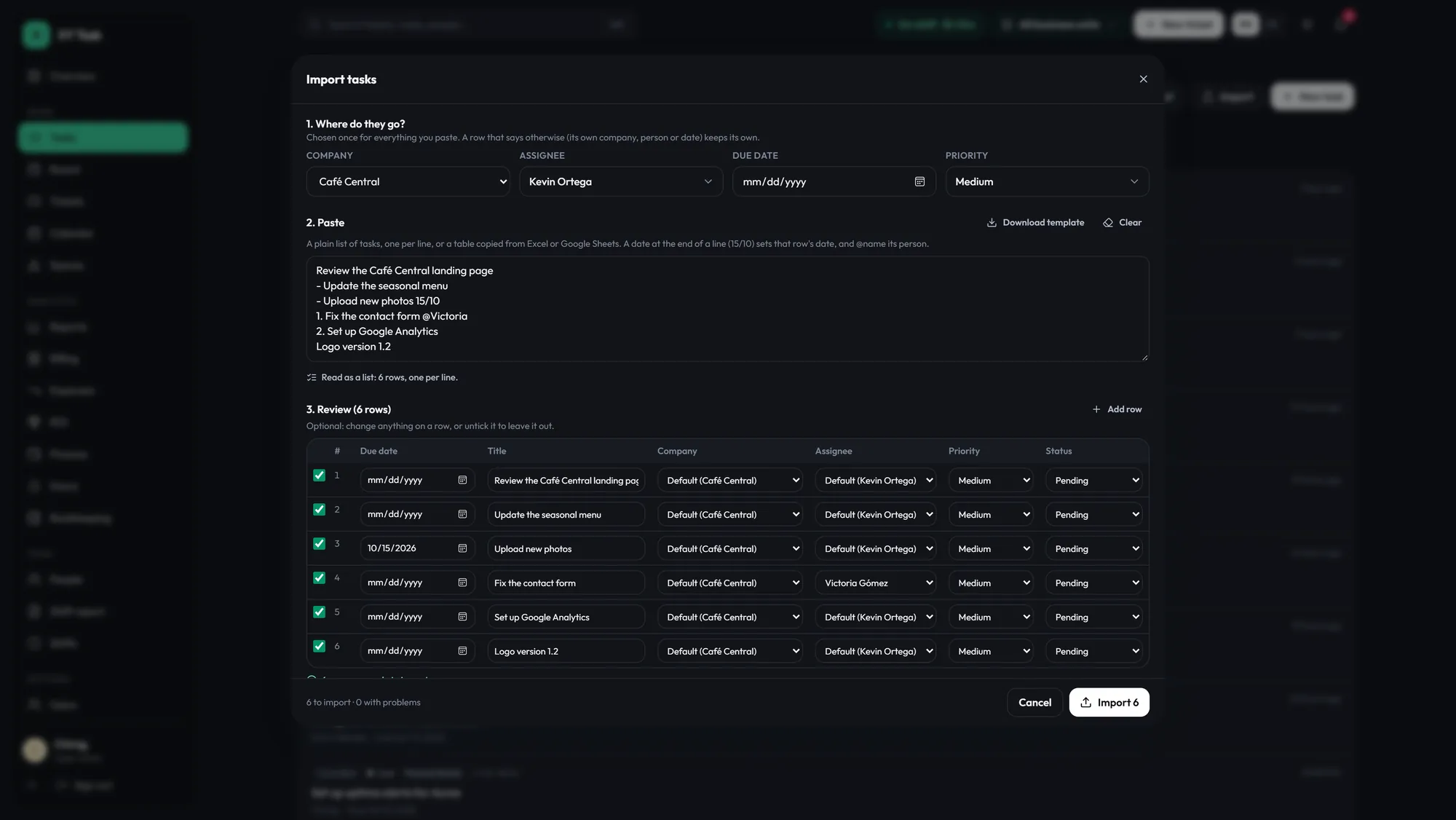
Bulk import reads a plain list, one task per line: a date like 15/10 becomes the due date and @Victoria the assignee. Review the rows, then import them all at once.

Xy, the XY Task mascot, checking off a list
XyTen lines pasted, ten tasks created.
Tasks board
List, board and team: the same tasks
Bulk import: a pasted list read into six reviewed rows
Bulk import: review the rows, then import
// shifts + people

Clock in. One click.

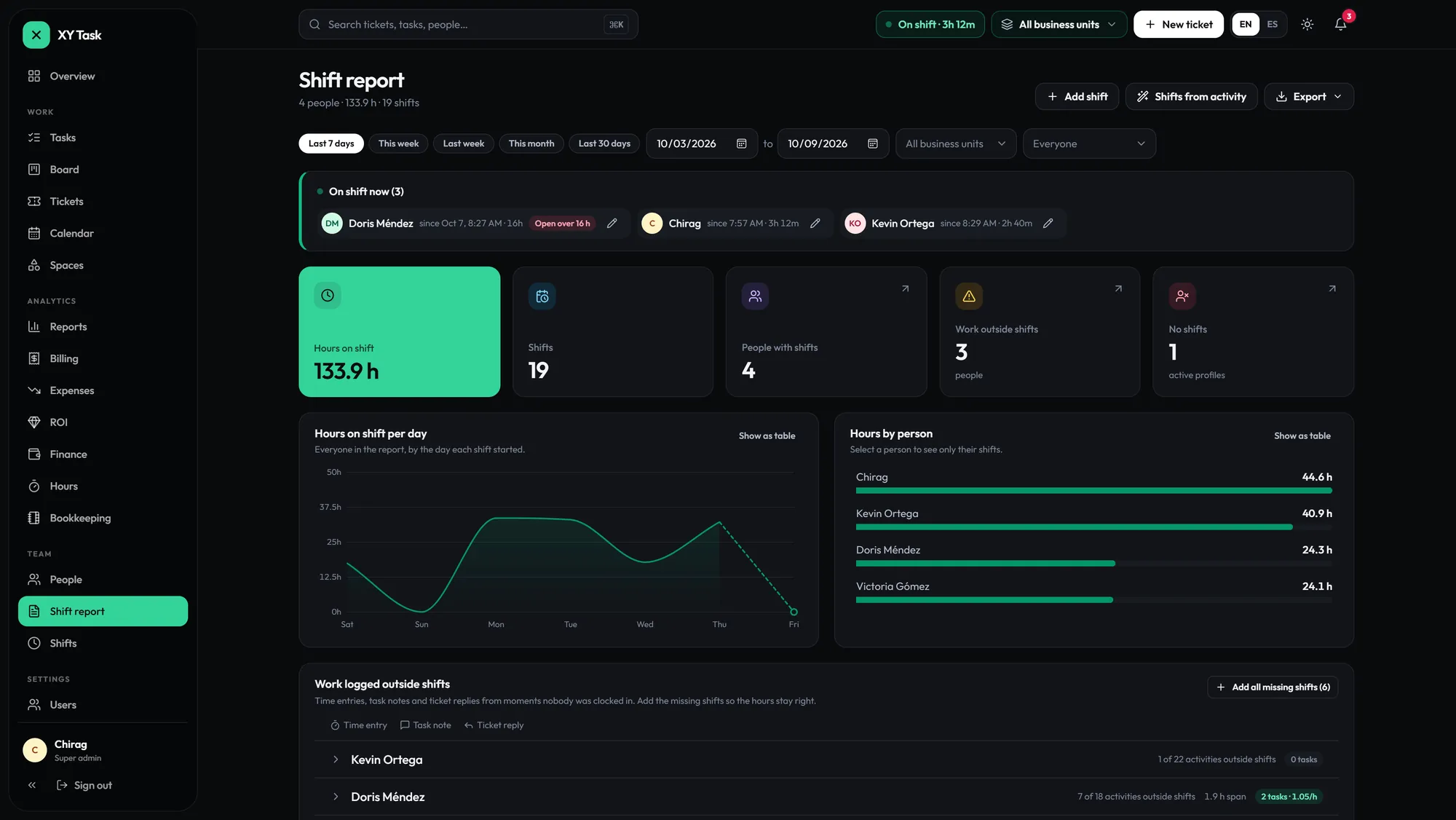
The clock lives in the top bar. Every shift turns into a productivity report: hours, tasks and the work logged outside a shift.

People. Profiles. Productivity.

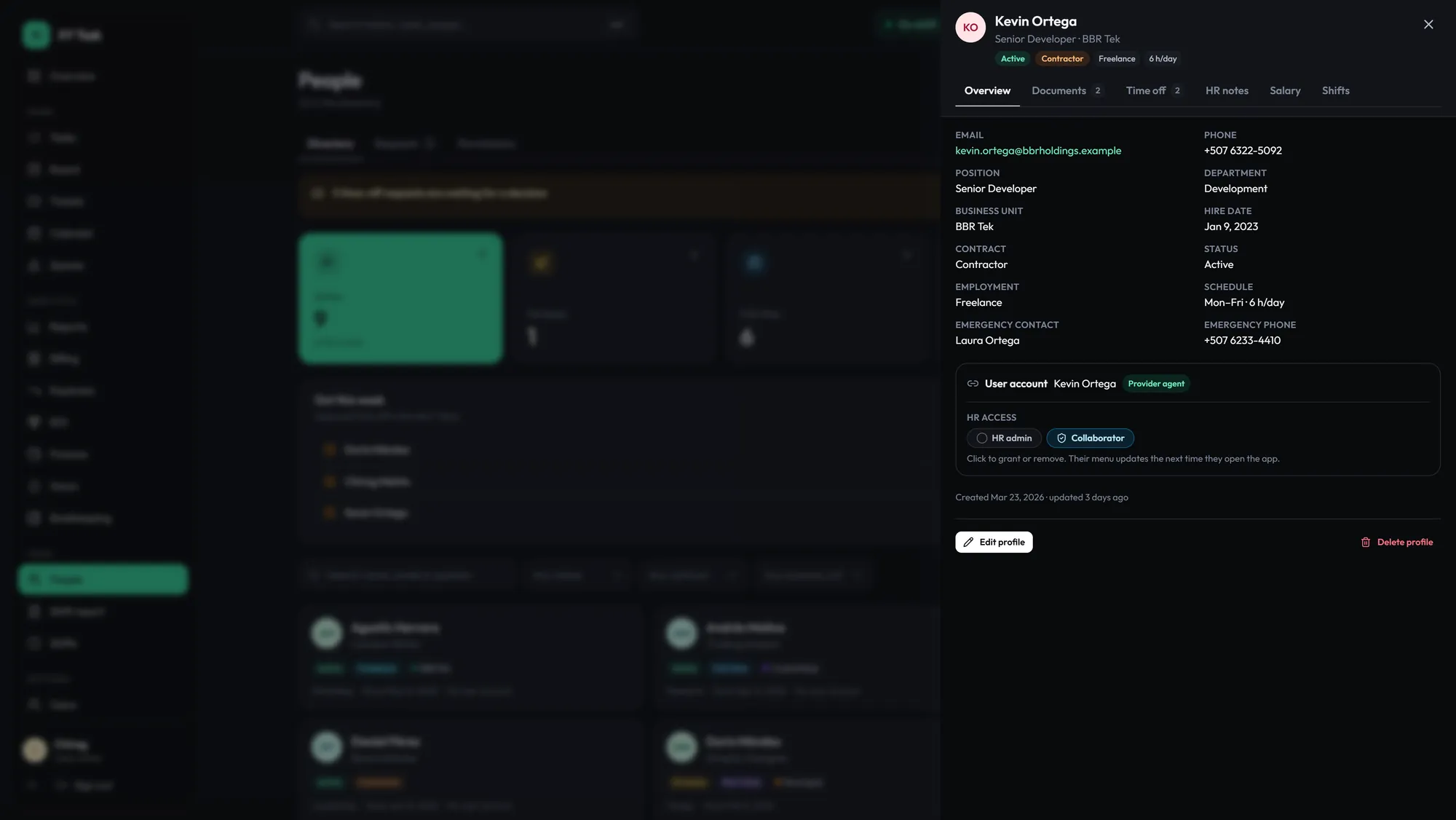
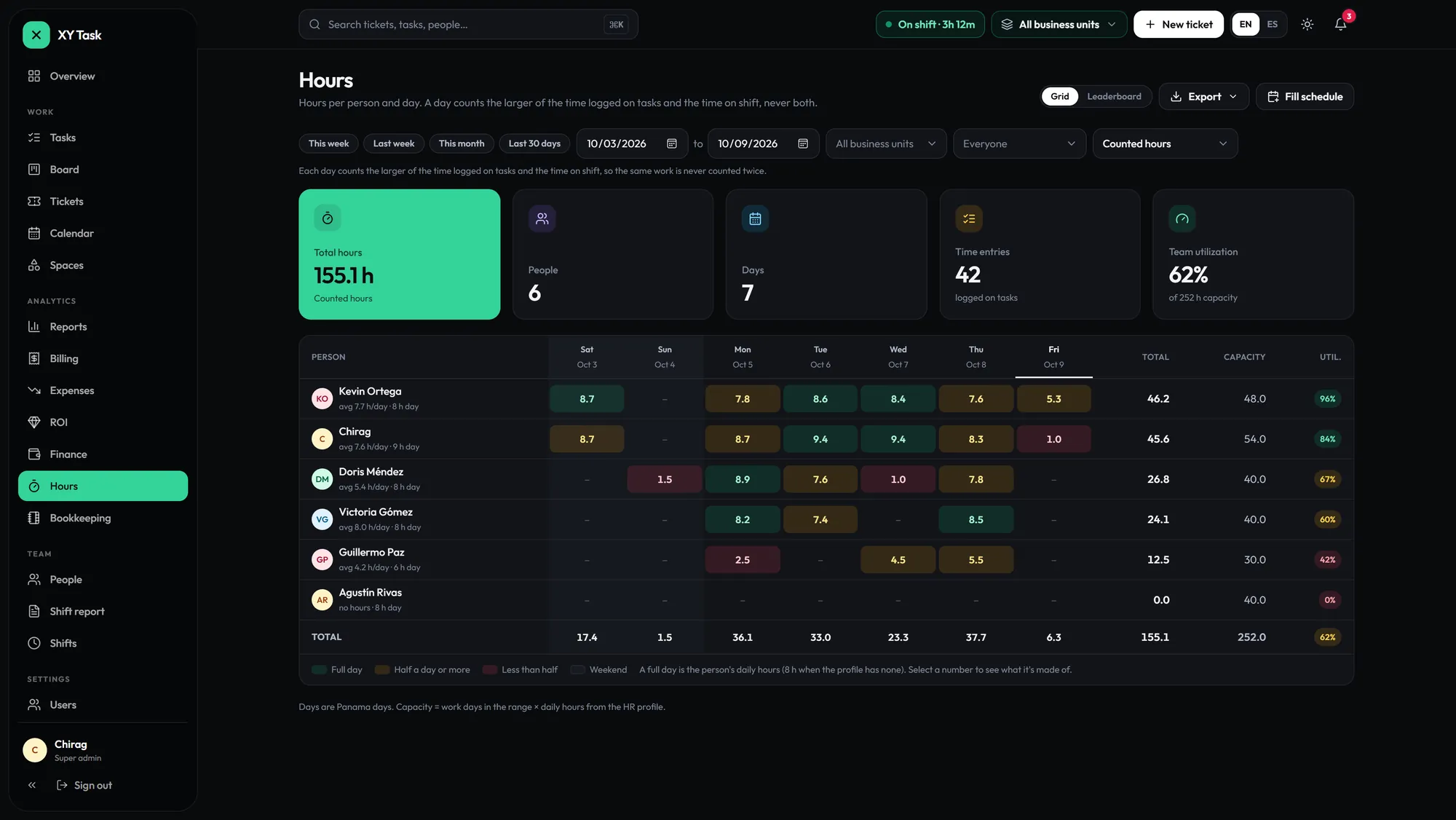
HR profiles with documents, time off, notes and salary, behind HR permissions, plus hours per person and day.

Xy, the XY Task mascot, starting a stopwatch
XyClocked in. The report writes itself.
Shift report: who is on shift now, hours, shifts and work outside shifts
Shift report: live status, hours, work outside shifts
HR profile with documents, time off, notes, salary and shifts
HR profile: documents, time off, salary
Hours per person and day with utilization
Hours per person and day
// permissions

One login. Six roles.

Every role gets an explicit scope and everything else is denied by default. Everyone signs in the same way and sees exactly their part.

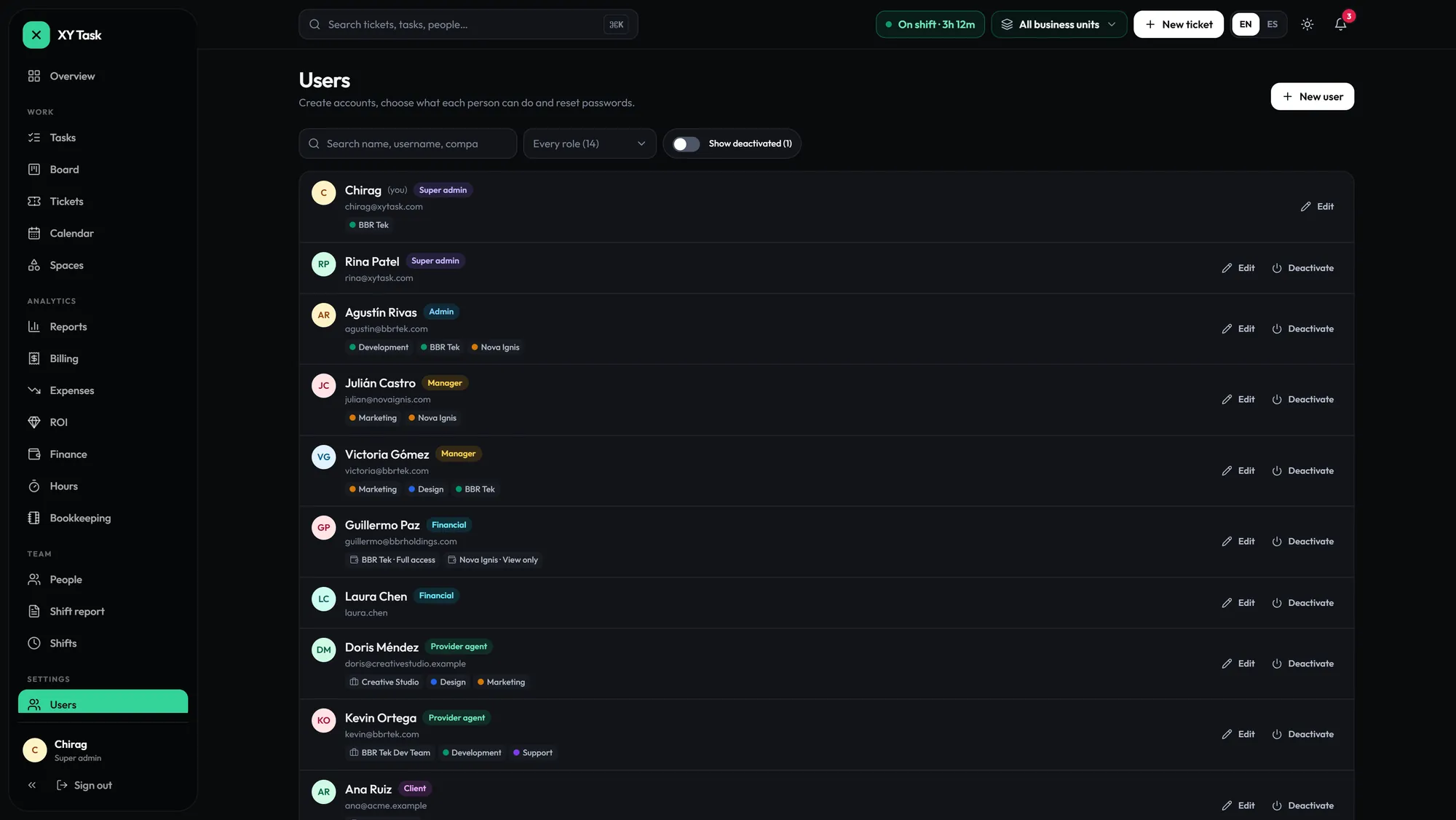
Users: every person with their role and scope

Users: every person with their role and scope.

Each company in its own space.

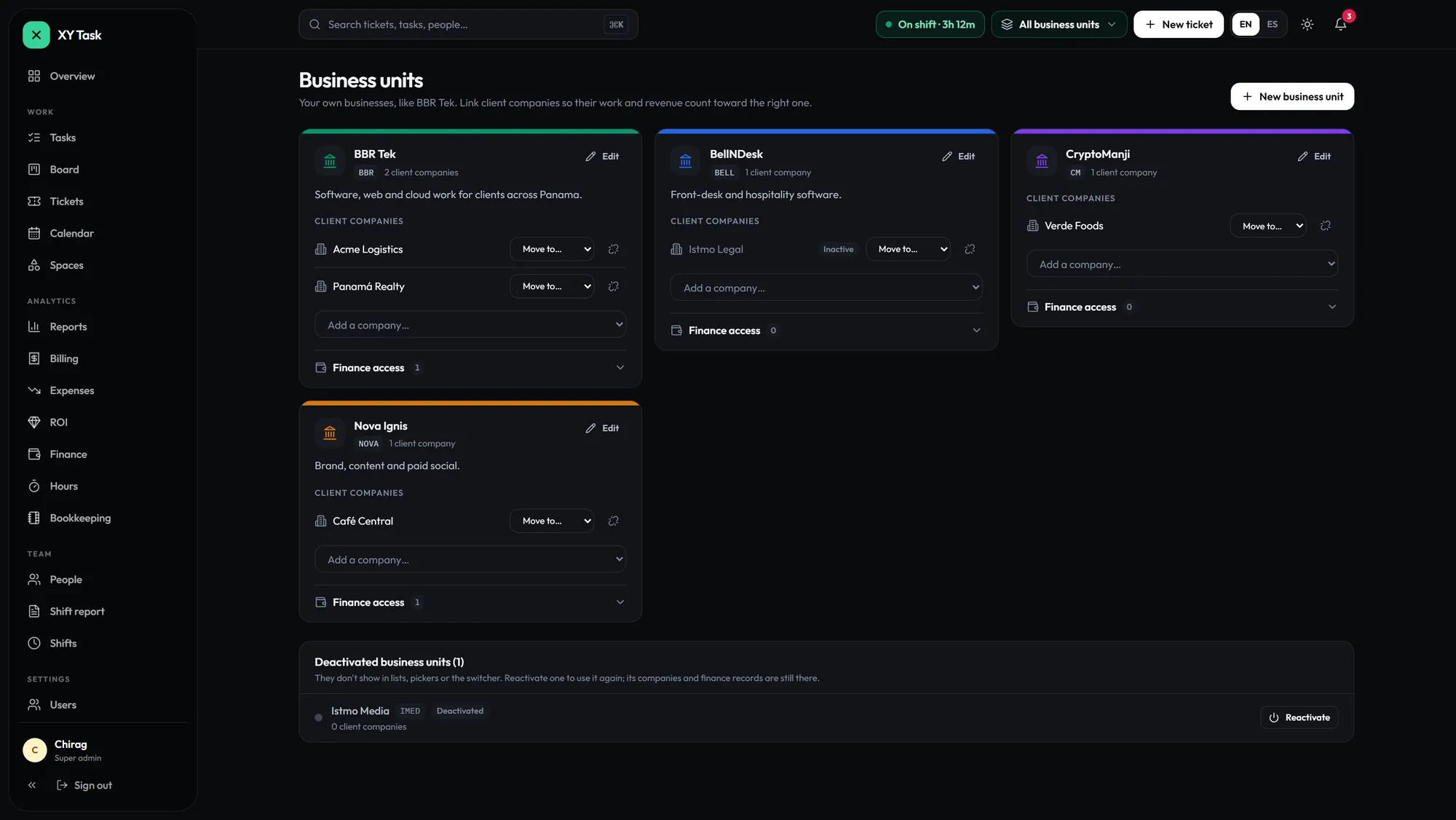
Business units own their companies, providers and data.

Business units and the client companies linked to each

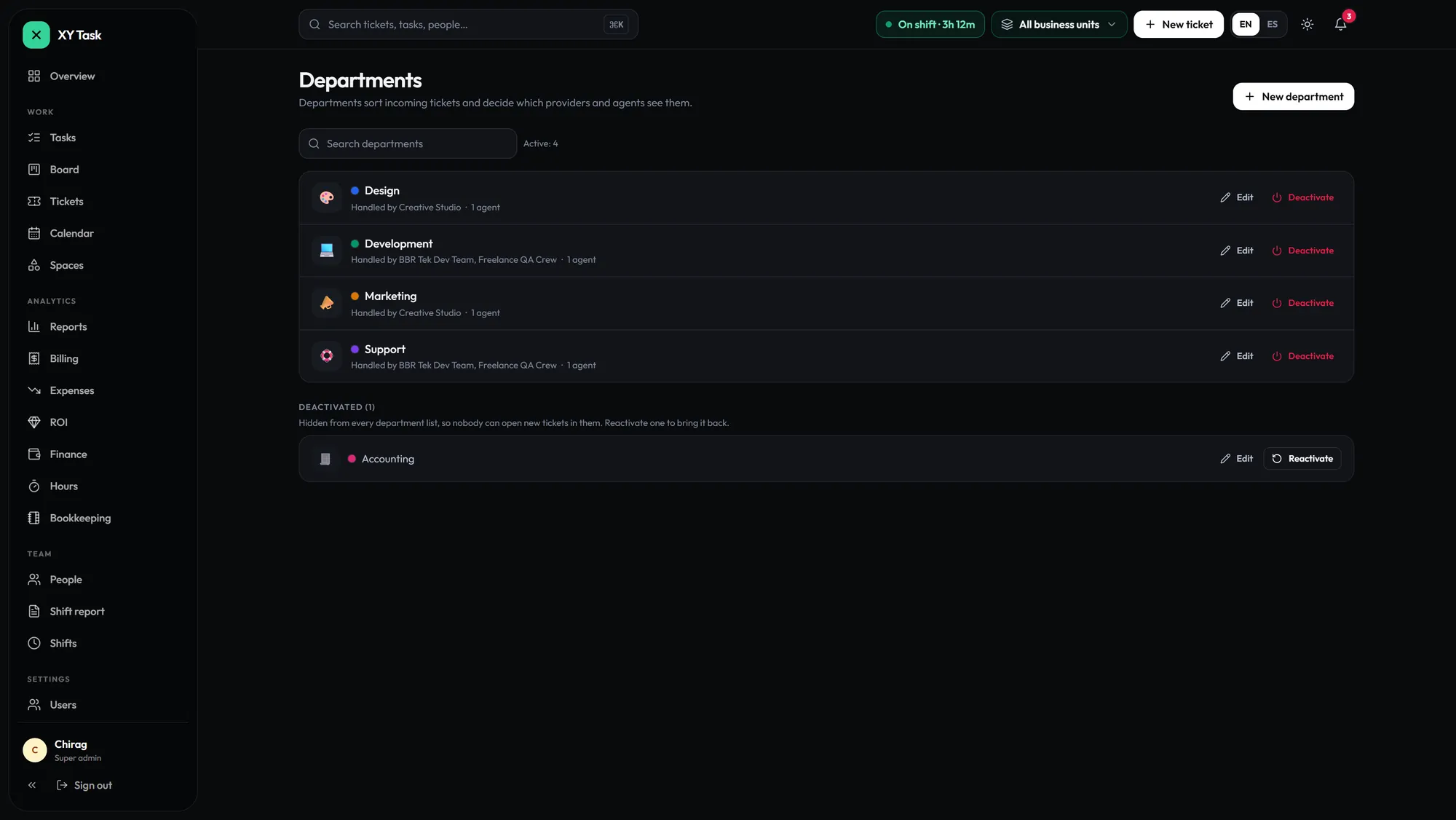
Departments route every ticket.

They decide which providers and agents see each ticket.

Departments and the providers that handle each one

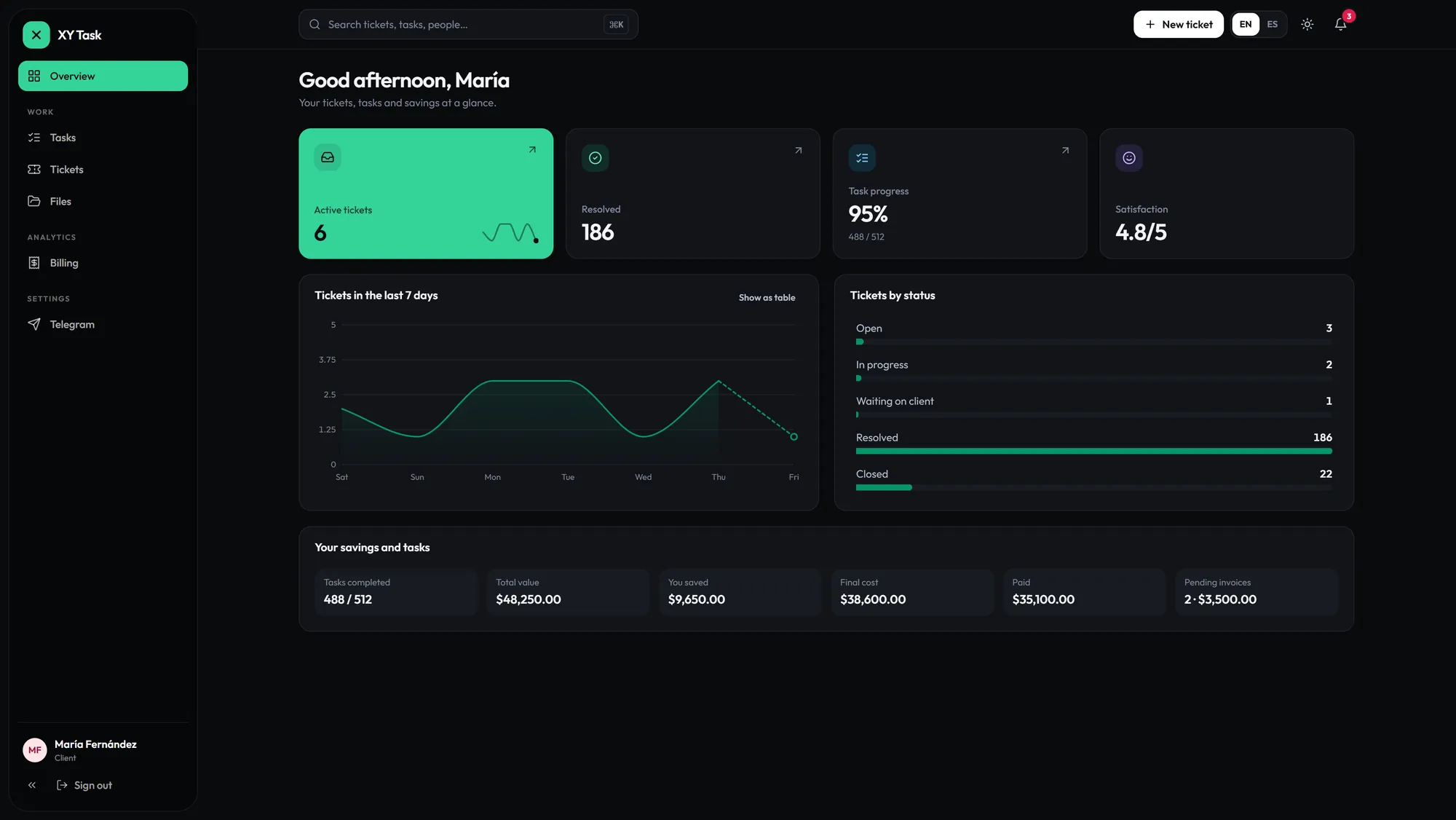
Clients see only their company.

Their own portal: tickets, tasks, files and billing.

The client portal: their tickets, tasks and savings
// bookkeeping

Accounting? Built in.

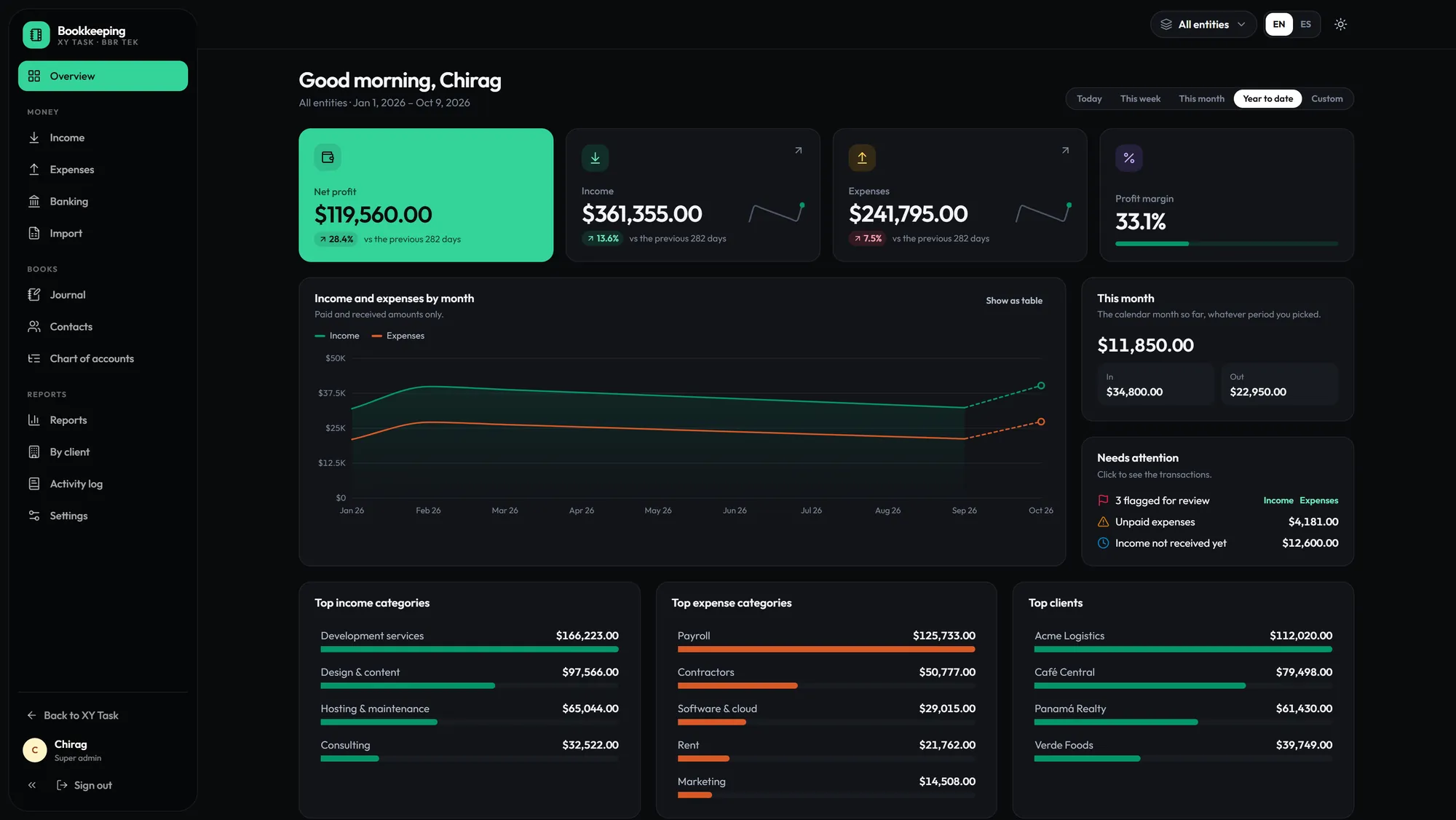
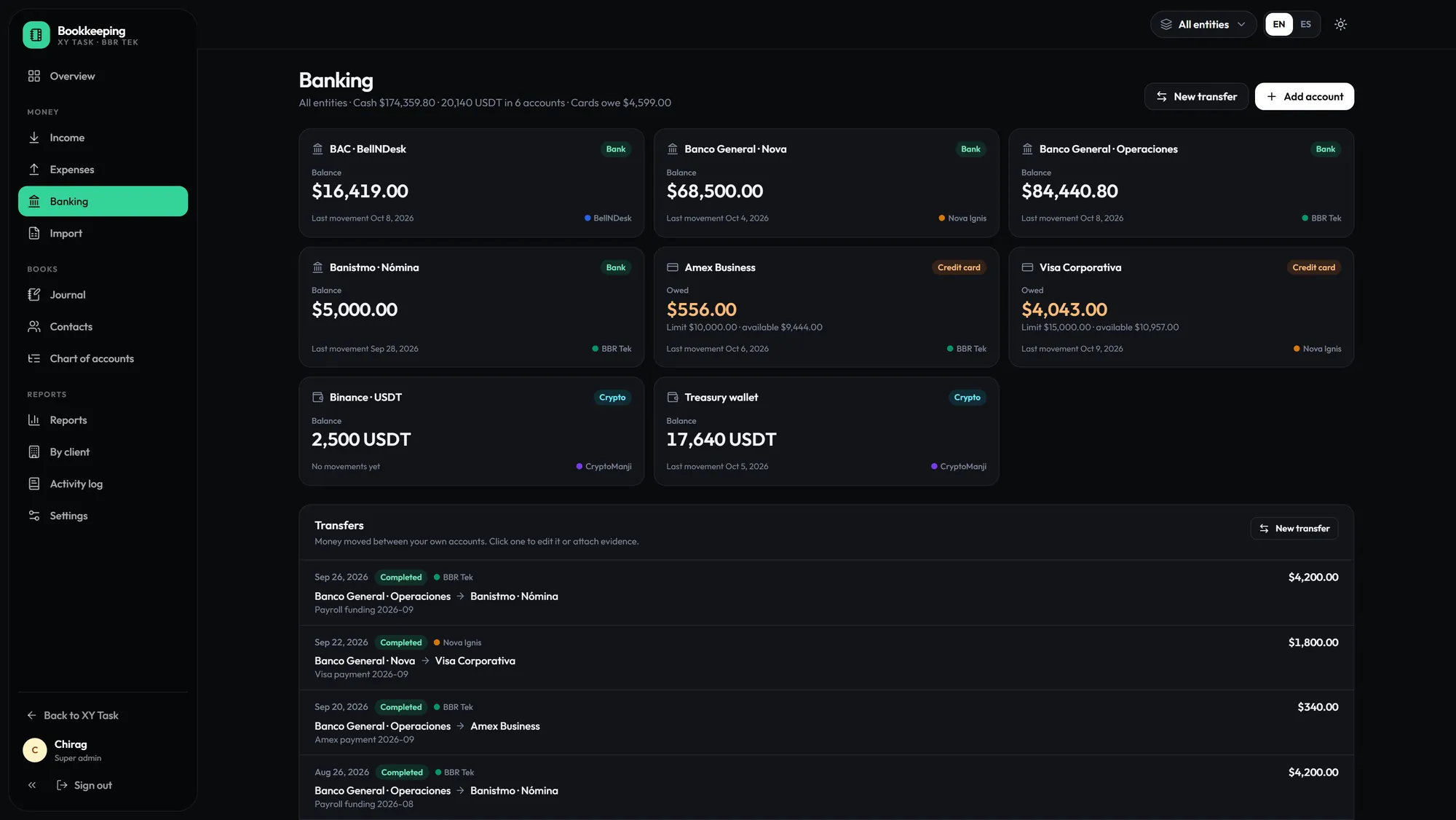
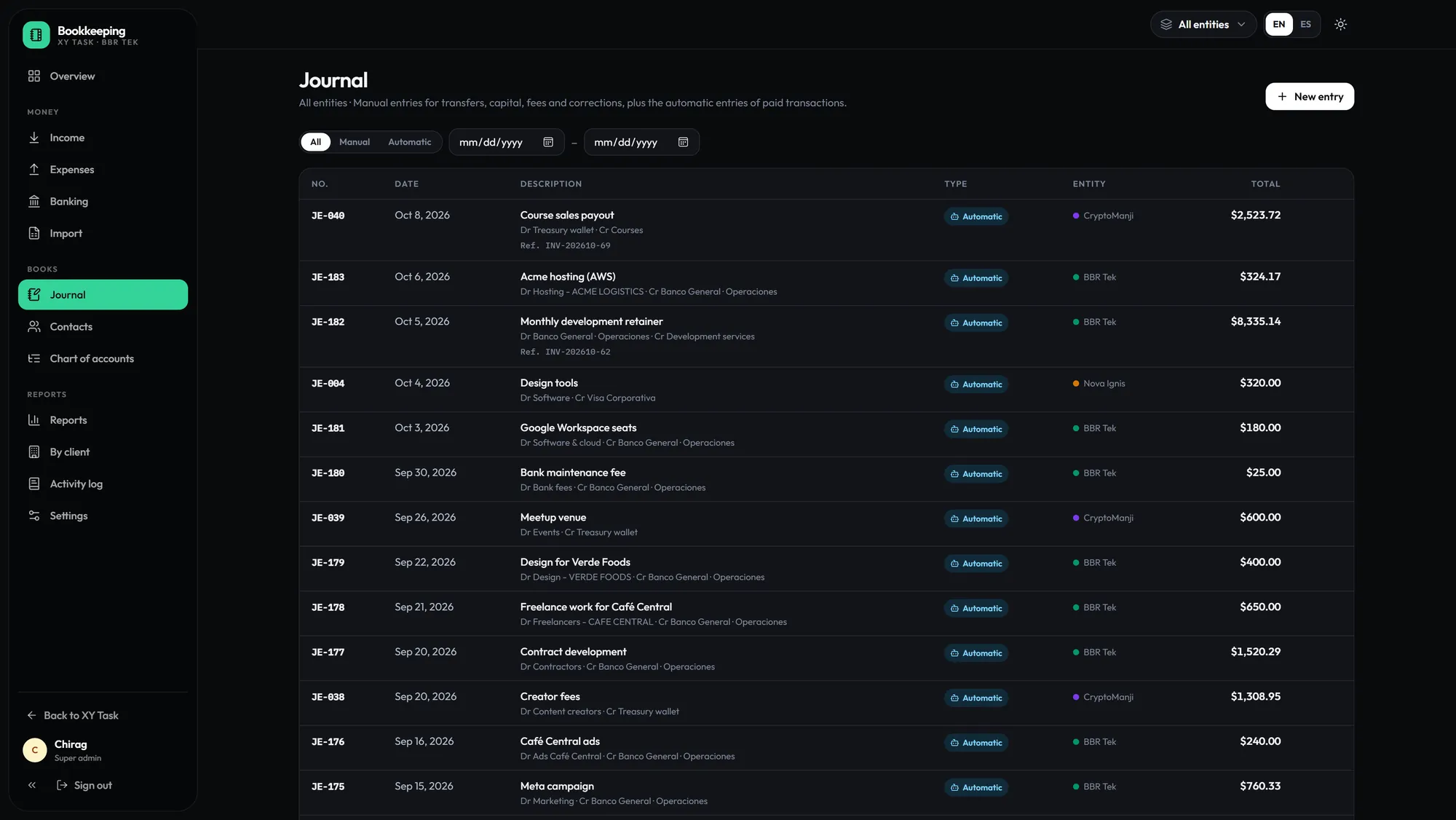
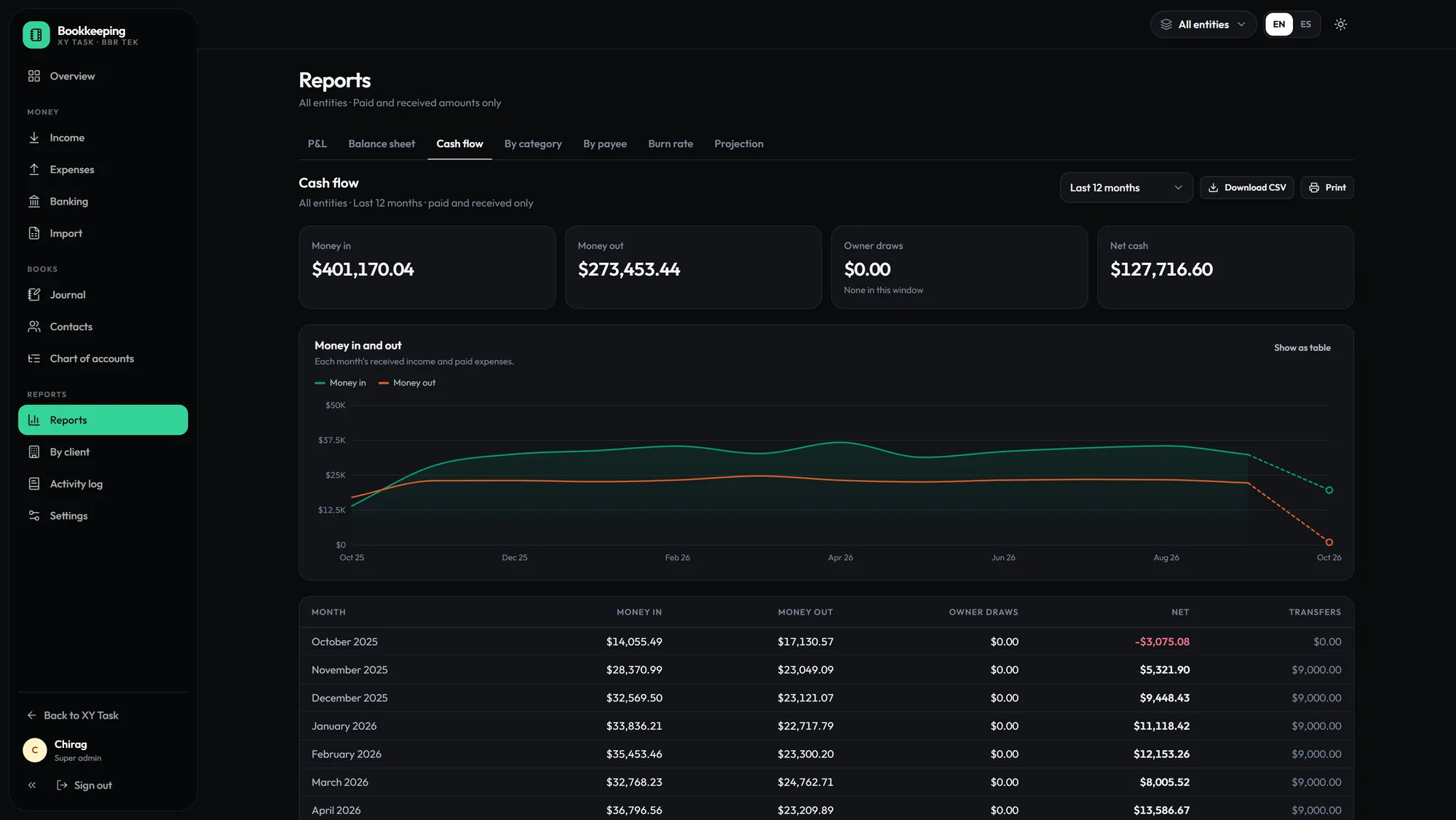
Double-entry books in the same login: banks, cards and crypto, automatic journal entries, P&L, cash flow and profit per client.

  • Banks, cards and crypto wallets, per entity
  • Paid transactions post their own journal entries
  • P&L, cash flow, projection and profit per client
  • Import bank statements from CSV or Excel
Xy, the XY Task mascot, holding a calculator and giving a thumbs-up
XyBooks balanced, to the cent.
Bookkeeping overview: net profit, income, expenses and margin

Per company: view, edit or full.

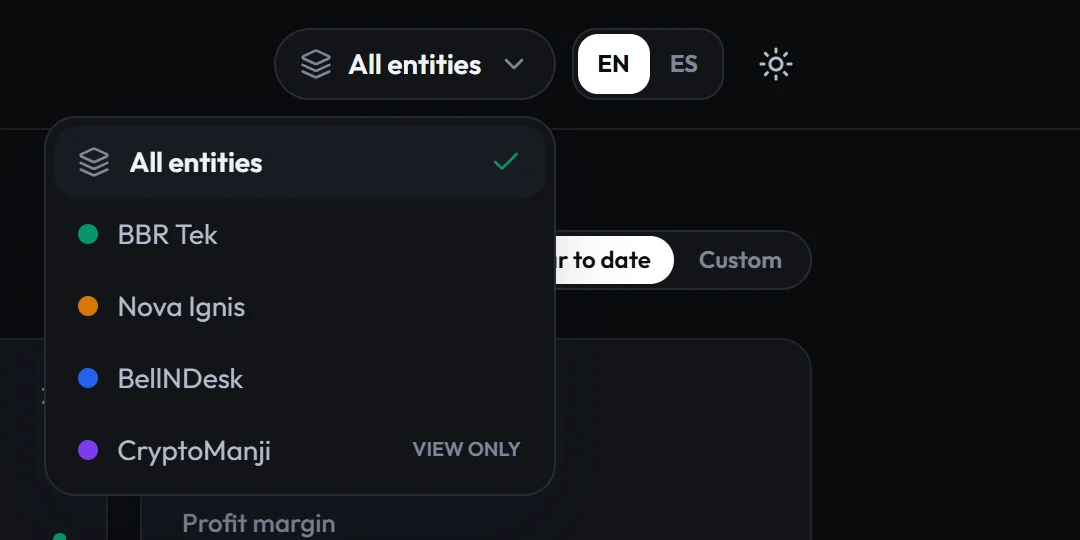
The books are invite-only. You choose who opens them, for which companies, and how far they can go.

View

Sees the books and their reports.

Edit

Also adds and changes records.

Full

Also deletes records and manages bank accounts.

The company switcher in Bookkeeping, with one company view-only

Same login, only the companies you’re granted. Here, one is view-only.

// alerts

Real-time. Telegram + Email.

Status changes, assignments and replies reach the right people the moment they happen.

New ticket: API returning 500via Telegram
Invoice #087 paid: $2,400via Email
Task completed: Auth modulevia Telegram
// language + theme

Bilingual. Light & dark.

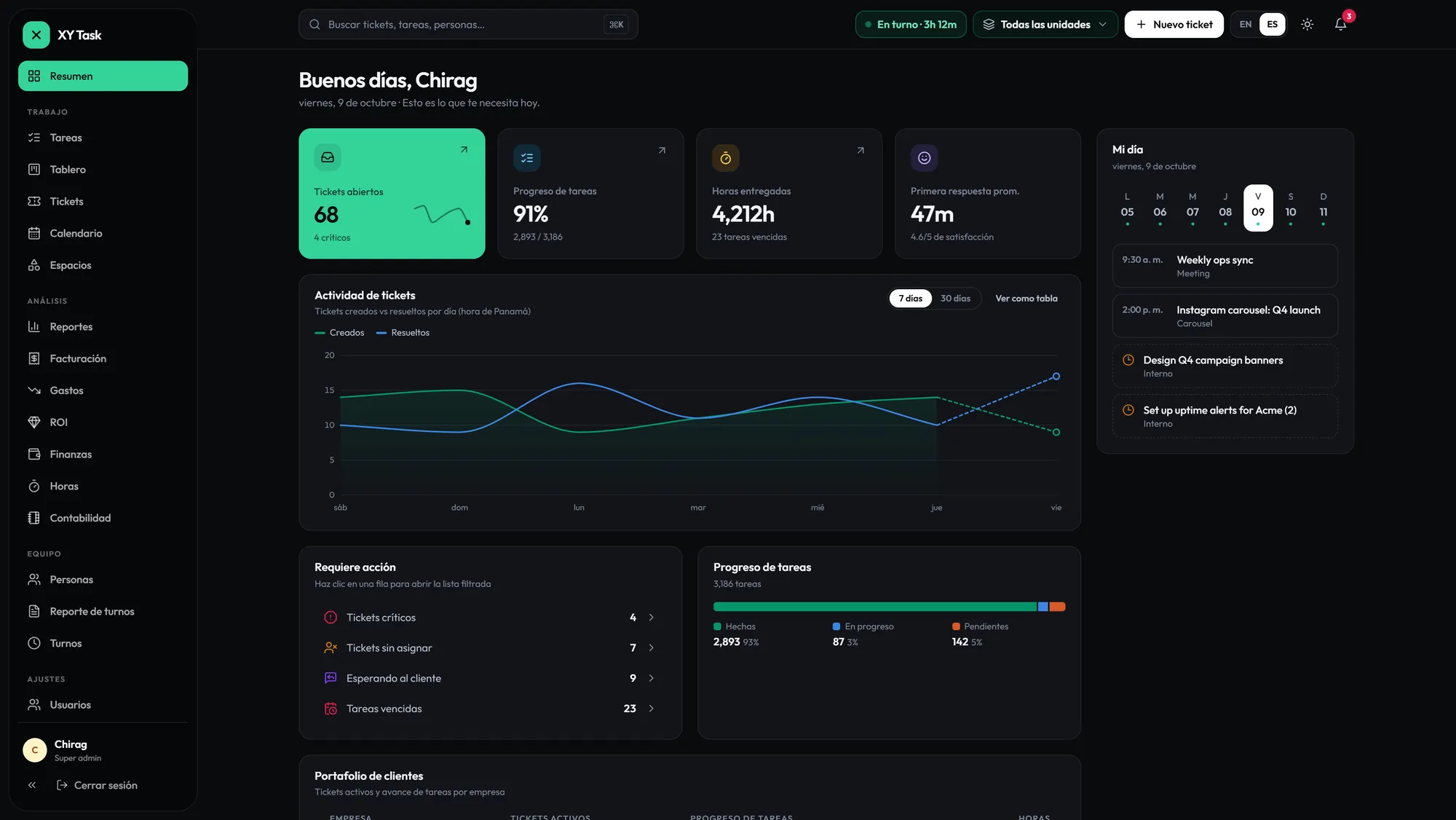
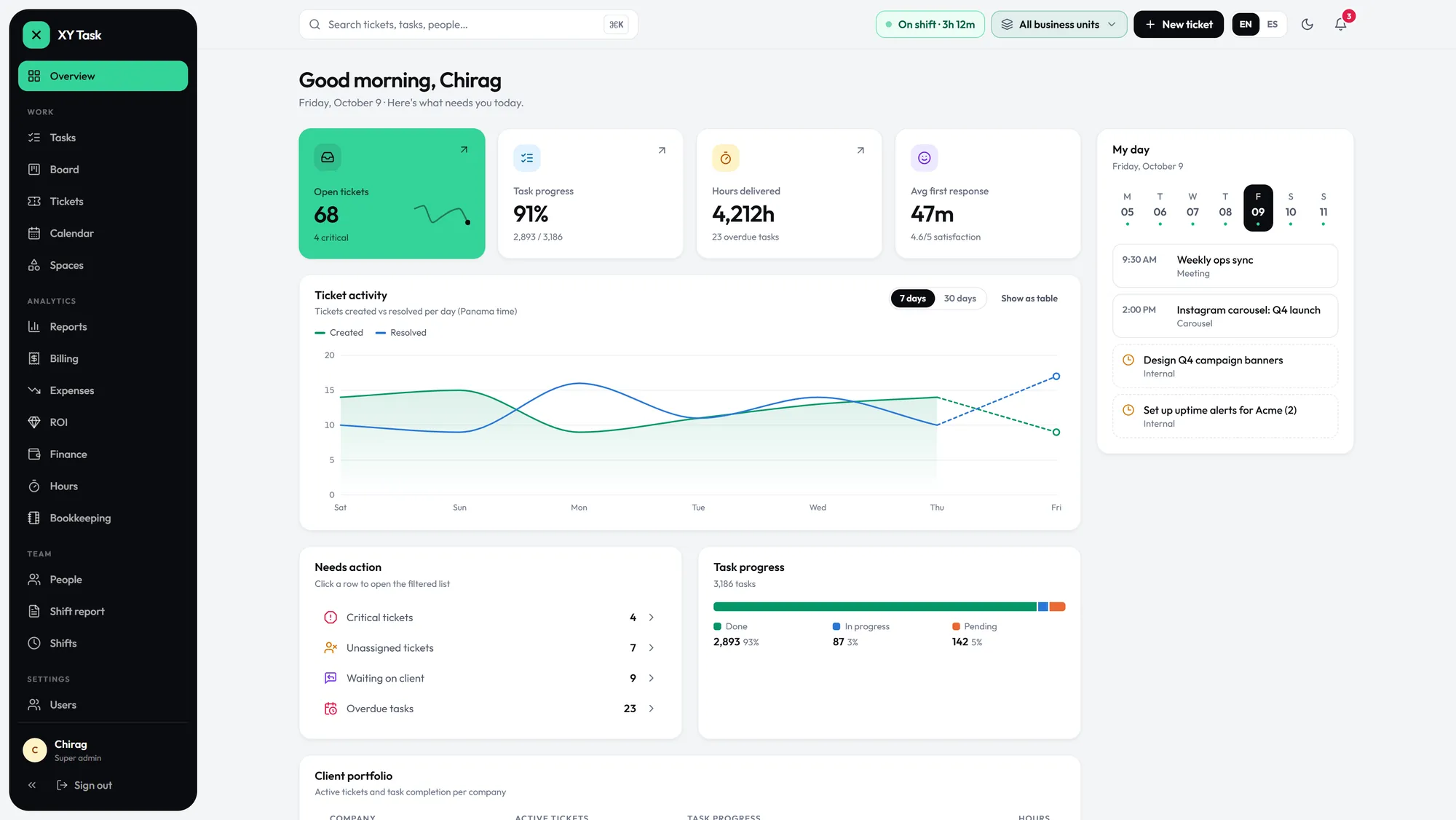
Every screen in English and Spanish, in light or dark.

Dashboard in English, dark
EN · dark
Dashboard in Spanish
ES · oscuro
Dashboard in light mode
EN · light
// modules

14 integrated systems. Not separate tools.

Modules that share data, context and workflow state.

tickets

Ticket Management

Multi-status workflows, file attachments with inline video preview, internal notes, SLA tracking, ticket merging, response templates.

tasks

Task Management

List, board and team views. Built-in time tracking, estimates and bulk import from a pasted list.

boards

Personal Kanban

Private boards per team member. Organize your workflow without cluttering shared spaces.

billing

Billing & Invoicing

Create invoices, export PDF, record payments, track outstanding balances tied to clients and projects.

expenses

Expenses & ROI

Track operational costs. Measure return per client or project. Decisions backed by real data.

reports

Financial P&L

Profit and loss reporting inside the platform. Financial health at a glance.

users

User Management

Invite, activate, deactivate team members. Six roles with an explicit scope, denied by default.

companies

Company Management

Multi-company support. Each with isolated tickets, tasks, billing, and team. Shared platform.

providers

Provider Hub

External teams work the tickets routed to them, never your client’s contact. Departments decide who gets what.

hr / people

HR Management

Team profiles, documents, absences, internal notes, salary tracking. Permission-gated: HR Admin and HR Collaborator.

shifts

Shift Tracker

Clock in/out from the top bar. Per-shift productivity reports. Live status for admins. Work outside shifts, detected.

company files

Company Files

Nested folder structure per company. Chunked uploads up to 1GB. Bulk download. Link files to tasks.

business units

Business Units

Complete BU isolation. Scoped access for admins, managers, and financial users. Each BU owns its companies and data.

knowledge base

Knowledge Base

Internal articles organized by department. Search, expand, reference. Team knowledge in one place.

bookkeeping

Bookkeeping ↗

Double-entry accounting, banks, cards and crypto, journal entries, P&L and cash flow. Same login, invite-only per company.
// why XY Task exists

We were the middleman. So we built the hub.

Every client request used to take three hand-offs: our team took the request, passed it to the provider, then carried the provider’s answer back to the client. Hours of relaying, every single day.

And our industry has a quieter risk: once a provider talks to your client directly, the client can walk away with them. XY Task puts both on the same ticket, with no friction and no direct contact. Your team gets its time back. Your clients stay yours.

Chiragx, founder of XY Task
// founder

Chiragx

Founder and original creator of XY Task · BBR Tek

“We spent our days relaying messages between clients and providers, and watching providers try to keep our clients. XY Task ends both: the work flows, and the client stays yours.”
// faq

Questions? Answered.

What is XY Task?

XY Task is an operations platform built by BBR Tek. It brings tickets, tasks, HR profiles, shift clock-in, billing, expenses, company files, business units and double-entry bookkeeping into one bilingual login, with real-time Telegram and email alerts.

Can external providers work in XY Task?

Yes. Each provider sees only the tickets routed to it, and provider agents never receive your client’s email, so the conversation and the client relationship stay in your hub.

What roles does XY Task support?

Six roles with an explicit scope, denied by default: Super admin (everything), Admin (their business units), Manager (their departments), Financial (finance for their units), Provider (only their tickets) and Client (only their company). HR Admin and HR Collaborator add HR permissions.

Does XY Task include bookkeeping?

Yes. Double-entry bookkeeping is built in, in the same login. It is invite-only: you choose who opens it, for which companies, with view, edit or full access.

Is XY Task available in Spanish?

Yes. Every screen is available in English and Spanish, in light or dark mode.

Who founded XY Task?

XY Task was founded by Chiragx, its original creator, and is built by BBR Tek. It was born from a real problem: relaying every request between clients and providers took hours, and providers could end up taking the client.

How do I get access to XY Task?

Access is by approval. Message Chiragx, the founder, on WhatsApp at +507 6101-1777: we review every team before opening its account.

Xy, the XY Task mascot, waving hello

Want XY Task for your team?

Access is by approval: we review every team before opening its account. Message me directly and we’ll take it from there.

Request access on WhatsApp
Chiragx, founder · direct line +507 6101-1777
Already approved? hub.xytask.com